Introduction
The first two blogs in the series discussed how to set up the chart of accounts, and reviewed numerous fields on a main account in D365 Finance. We briefly discussed main account categories, and types, with a promise to discuss in more detail later. “Later” has arrived! Finally, we can see how the pieces tie together, and the powerful financial reporting capabilities that D365 Finance.
Main Account Categories
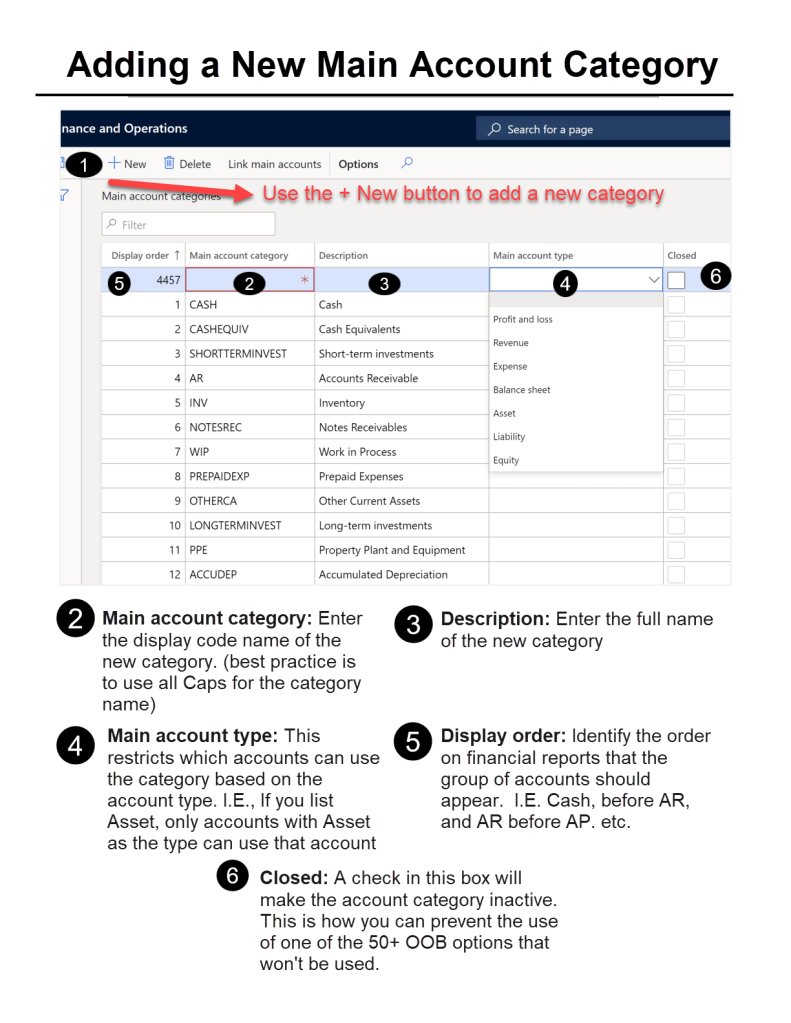
A main account category provides a grouping of accounts by their role in financial statements. For example, ledger accounts associated with bank accounts (usually a number starting with 1xxx) will be linked to the main account category “Cash”. You may have multiple main accounts, one for each bank account, that are all cash accounts. By linking them to a category, financial reports can pull all the “cash” accounts. This allows for easier reporting maintenance and traceability.
There are over 50 out of the box main account categories. If one of those do not work, there is always the option to create a new main account category. While new accounts can be created, old accounts cannot be deleted, but you can close them so they won’t be used. The visual below walks through adding a new category.
Main Account Types
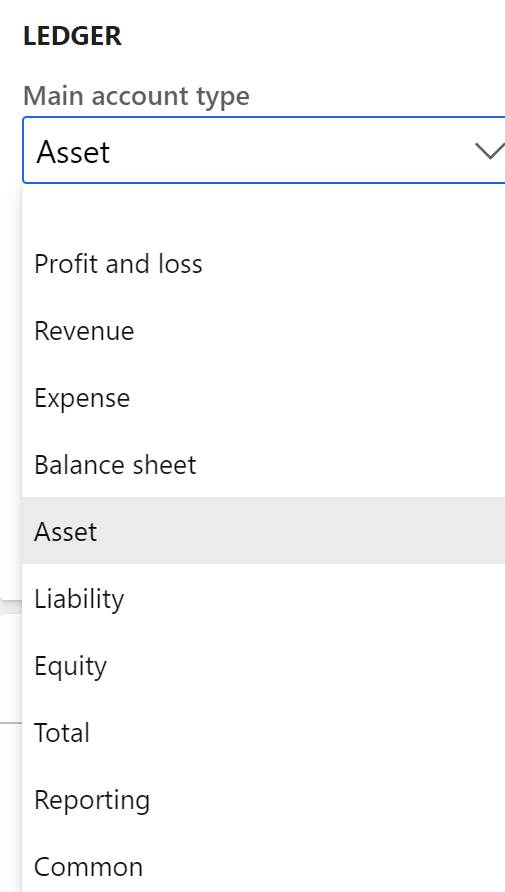
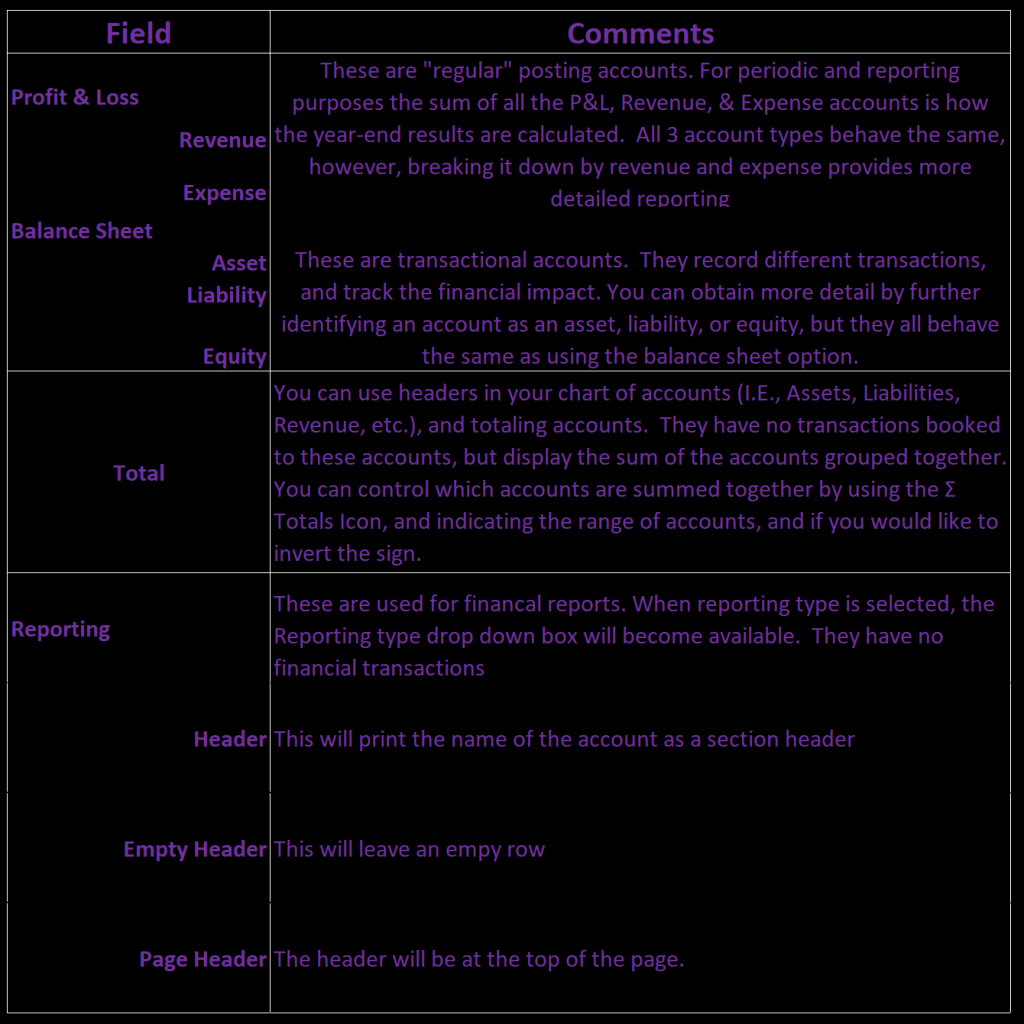
Main account types control how the main account will behave in the chart of accounts, or appear on financial reports, and other analysis tools, like Power BI. There are 10 options.
Main Account Type Descriptions
Financial Reports
D365 Finance has default financial reports. The reports can be edited inside of management reporter (MR). MR has Row definitions, the body of a report, which are linked to a combination of individual accounts, main account categories, and financial dimensions. Categories will include all the associated accounts for the identified row. For example, if you are creating a balance sheet, in the asset section, for bank accounts or cash accounts you can have the row linked to bank account 1 + bank account 2 + bank account 3, etc. Every time you add a new bank account, you will need to edit the report. By using a main account category, and assuming the “Cash” category is associated to the bank accounts, no report maintenance is needed when adding a new bank account. The balance sheet will automatically incorporate the new account, because it is mapped to the category, not the main account. There are default reports that you can use right out of the box, by using default main account categories.
💡💡💡
As I said earlier, there are only a few required fields, but obviously there are a lot of bells and whistles available on a main account. Main account categories and main account types are two features, that are unique to Dynamics 365 Finance. They provide robust categorization capabilities, and customizable financial reports. Now that you are on your way to being a main account expert, the next post will add the financial dimensions piece to the chart of accounts structure.
 WorldMax